Your wedding website and invitations done in an evening
One link for everything your guests need to know: the day, the place, the dress code. They reply from their phone, you see who’s coming, who brings a plus-one and who doesn’t eat meat.
No app for guests to install, no sign-up for them either.
 Example: Mira & Daniel’s website
Mira & Daniel
12 June 2027 · Old Mill, Lake Garda
241 days to go
- 16:00Ceremony
- 17:30Drinks in the garden
- 19:00Dinner
How it works
From blank page to “we’ll be there!” in four steps
- 1
Pick a design
Start from a template that feels like you. Change colours and fonts later, nothing is locked.
- 2
Add the details
Date, venue, schedule, a few words about you two. Fill in what you know now and the rest later.
- 3
Send the invitation
One link for WhatsApp, Telegram, email or a QR code on paper cards.
- 4
Watch the replies
Answers land in one list as they come in. No spreadsheets, no chasing in group chats.
Wedding website
Everything guests ask you about, on one page
Instead of answering “what time does it start?” forty times, send the link. Show only the sections you need.
-
Your story
How you met, in your own words. Two lines or two pages.
-
Schedule of the day
Ceremony, dinner, first dance, last bus home.
-
Map and directions
The venue on a map, parking and how to get there.
-
Where to stay
Hotels nearby, with links and any group discount.
-
Dress code
A short note and a couple of examples, so nobody guesses.
-
Guest FAQ
Kids, gifts, photos during the ceremony. Answered once.
Invitations & Save the Date
An invitation people actually open
Pick a design, add your names and the date, send. Guests open it like an envelope and reply right there.

Linen 
Garden 
City 
Terracotta 
Save the Date 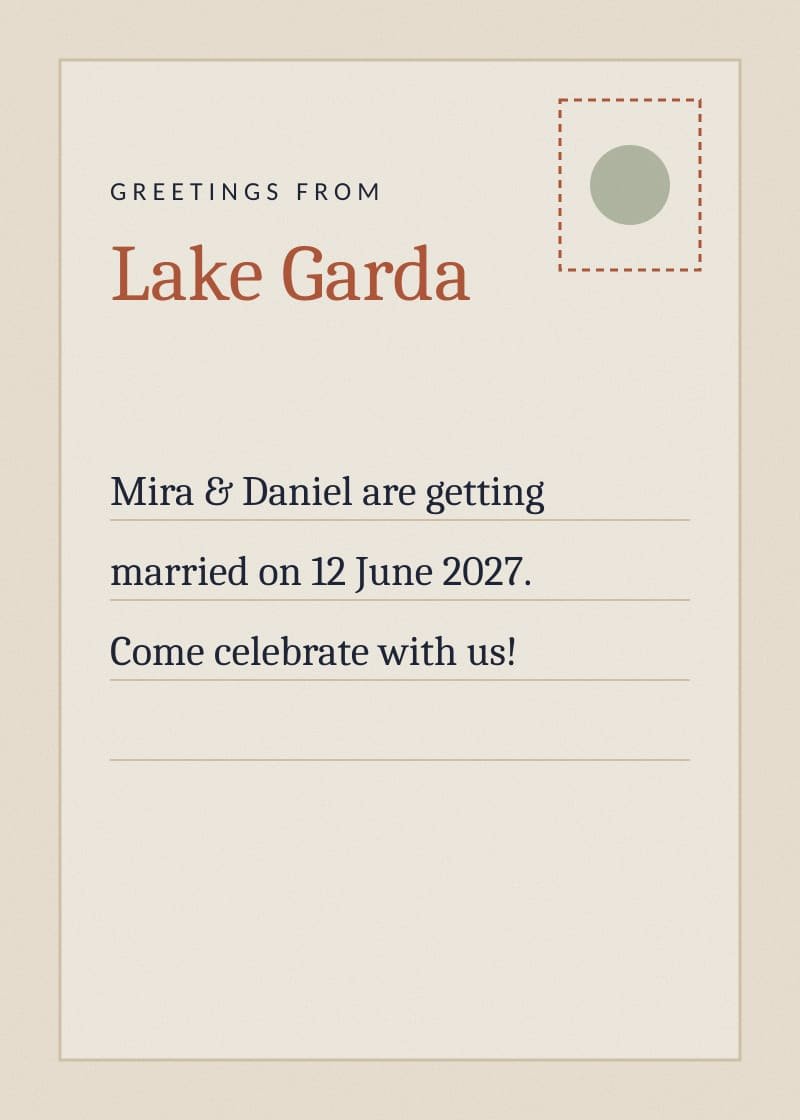
Postcard
Send it the way your guests read messages
- A link in any messenger
- QR code for paper cards
Smart RSVP
They tap “yes”. You see the whole picture.
What your guest does
- 01Opens the link, no sign-up
- 02Says if they’re coming and with whom
- 03Picks a meal, mentions allergies
- 04Asks for a seat on the shuttle
What you see
A live summary: who’s coming, who isn’t, who hasn’t answered yet. Meal counts for the caterer, the shuttle list for the driver.
Try the RSVP form
Mira & Daniel
Will you join us?
Meal
Replies
Sample data
- Coming
- 86
- Not coming
- 9
- Waiting
- 23
Meals
- Fish41
- Meat28
- Vegetarian17
Plus-ones14
Shuttle32
Latest
- Anna K.Coming +1
- Tom & LisaComing
- Uncle RobertWaiting

Guest list & addresses
Stop collecting addresses in direct messages
Send one link. Guests fill in their own name, address and phone. Everything lands in your guest list, ready for paper invitations or a thank-you card.
- One link for the whole family chat
- Guests correct their own typos
- Export the list when you need it
For your guests
Easy for grandma, quick for your friends
- No sign-up
- Guests open the link and reply. No account, no password.
- Made for phones
- Most people open invitations on the way somewhere. The pages are built for that.
- Everything in one place
- The address, the time, the dress code. They come back to the same link the day before.
Pricing
Start free, pay when you know you like it
The website, invitation and RSVP for up to 50 guests are free. Premium is a one-time payment per wedding, no subscription.
See pricingFAQ
Questions couples ask us
How much does it cost?
The wedding website, online invitation and RSVP for up to 50 guests are free. Premium, with unlimited guests, all designs and your own domain, is a one-time ₺1,499 per wedding.
Can I use my own domain?
Yes, on Premium. Connect a domain like mira-and-daniel.com and we’ll help you set it up. On the free plan your website lives under wifupad.com.
How many guests can I invite?
Up to 50 guests on the free plan, unlimited on Premium. Plus-ones don’t count as separate guests.
What languages can the invitation be in?
Turkish and English. One website can have both, and guests switch language with one tap. Handy when friends fly in from abroad.
Can I hide the website from strangers?
Yes. Every website is hidden from search engines by default, so only people with the link can open it. On Premium you can also add a password.
What happens after the wedding?
Your website stays online for 12 months after the date, and you can turn it into a thank-you page. Download the guest list and all replies as a spreadsheet any time.
Write to us
Prefer email? Write to info@wifupad.com
Your email app opened with the message ready. Just press Send.